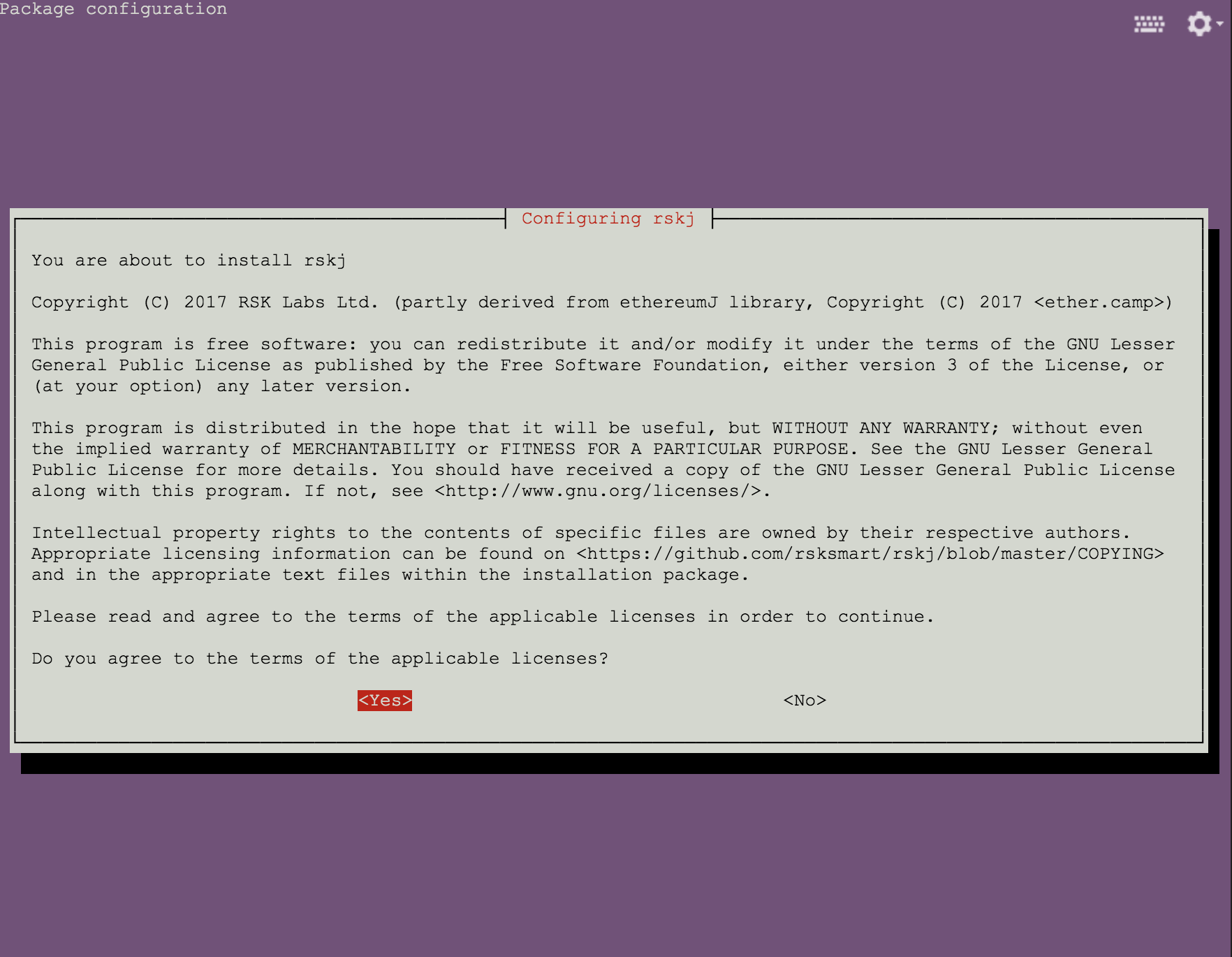
 Choose Yes and Enter to accept the license to continue
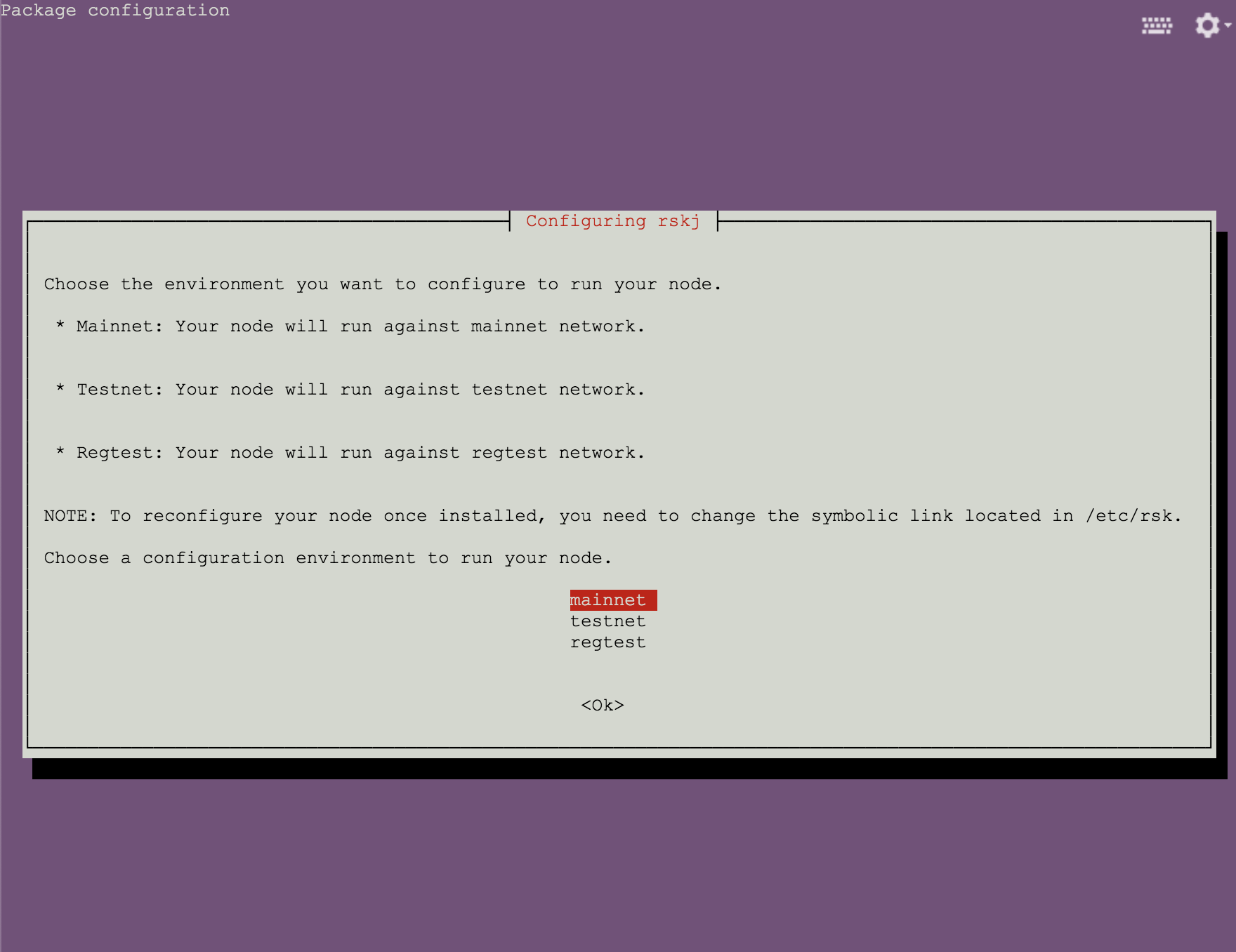 Choose `mainnet` and press `Enter` to continue
## Install via Direct Downloads
You can also download the RSKj Ubuntu Package for the latest RSKj release `LOVELL 7.0.0` and install it with the `dpkg` command. Follow this [download link](https://launchpad.net/~rsksmart/+archive/ubuntu/rskj/+packages) to download the matching package for your ubuntu system.
```shell
# first install openjdk-17-jre or oracle-java17-installer
sudo apt-get install openjdk-17-jre
# download the RSKj package and find the file rskj-6.5.0~UBUNTU_VERSION_NAME_amd64.deb
# run this command in the same directory as the deb file above
dpkg -i rskj-6.5.0~UBUNTU_VERSION_NAME_amd64.deb
```
We recommend that you check that the SHA256 hash of the downloaded package file matches, prior to installation:
* `rskj_2.0.1_bionic_amd64.deb`: `b2f0f30ac597e56afc3269318bbdc0a5186f7c3f7d23a795cf2305d7c7b12638`
* `rskj_2.0.1_bionic_i386.deb`: `3ca031ee133691ed86bb078827e8b2d82600d7bbd76194358289bbc02385d971`
* `rskj_2.0.1_trusty_amd64.deb`: `4c56d8d0ed0efc277afe341aa7026e87f47047ff69bd6dd99296c5ecab1fa550`
* `rskj_2.0.1_trusty_i386.deb`: `e5cb7b72e4aff8be4cbcd5d1e757e1fda463f1565154ae05395fcf1796ecf9fb`
* `rskj_2.0.1_xenial_amd64.deb`: `70c245388a7f521b96905bf49b93e38f58c54970e4e4effa36d7f2b0a2aa8ef4`
* `rskj_2.0.1_xenial_i386.deb`: `f067301454eb5976bbf00052ccd6523b1ee61f6aeb33ef4ea6fcb07ff0328668`
## After installation
By default, the node connects to Mainnet. To change the network choice (Mainnet/ Testnet/ Regtest), refer to the instructions in [switching networks](/node-operators/setup/configuration/switch-network). To change configurations for the node, refer to the instructions in [Rootstock Node Configuration](/node-operators/setup/configuration/).
The installer will configure your node in the following paths:
* `/etc/rsk`: the directory where the config files will be placed.
* `/usr/share/rsk`: the directory where the RSKj JAR will be placed.
* `/var/lib/rsk/database`: the directory where the database will be stored.
* `/var/log/rsk`: the directory where the logs will be stored.
Choose `mainnet` and press `Enter` to continue
## Install via Direct Downloads
You can also download the RSKj Ubuntu Package for the latest RSKj release `LOVELL 7.0.0` and install it with the `dpkg` command. Follow this [download link](https://launchpad.net/~rsksmart/+archive/ubuntu/rskj/+packages) to download the matching package for your ubuntu system.
```shell
# first install openjdk-17-jre or oracle-java17-installer
sudo apt-get install openjdk-17-jre
# download the RSKj package and find the file rskj-6.5.0~UBUNTU_VERSION_NAME_amd64.deb
# run this command in the same directory as the deb file above
dpkg -i rskj-6.5.0~UBUNTU_VERSION_NAME_amd64.deb
```
We recommend that you check that the SHA256 hash of the downloaded package file matches, prior to installation:
* `rskj_2.0.1_bionic_amd64.deb`: `b2f0f30ac597e56afc3269318bbdc0a5186f7c3f7d23a795cf2305d7c7b12638`
* `rskj_2.0.1_bionic_i386.deb`: `3ca031ee133691ed86bb078827e8b2d82600d7bbd76194358289bbc02385d971`
* `rskj_2.0.1_trusty_amd64.deb`: `4c56d8d0ed0efc277afe341aa7026e87f47047ff69bd6dd99296c5ecab1fa550`
* `rskj_2.0.1_trusty_i386.deb`: `e5cb7b72e4aff8be4cbcd5d1e757e1fda463f1565154ae05395fcf1796ecf9fb`
* `rskj_2.0.1_xenial_amd64.deb`: `70c245388a7f521b96905bf49b93e38f58c54970e4e4effa36d7f2b0a2aa8ef4`
* `rskj_2.0.1_xenial_i386.deb`: `f067301454eb5976bbf00052ccd6523b1ee61f6aeb33ef4ea6fcb07ff0328668`
## After installation
By default, the node connects to Mainnet. To change the network choice (Mainnet/ Testnet/ Regtest), refer to the instructions in [switching networks](/node-operators/setup/configuration/switch-network). To change configurations for the node, refer to the instructions in [Rootstock Node Configuration](/node-operators/setup/configuration/).
The installer will configure your node in the following paths:
* `/etc/rsk`: the directory where the config files will be placed.
* `/usr/share/rsk`: the directory where the RSKj JAR will be placed.
* `/var/lib/rsk/database`: the directory where the database will be stored.
* `/var/log/rsk`: the directory where the logs will be stored.
 ### Start/Stop the Node
After installation, you can use the following commands to manage your node.
**To start the node:**
```shell
sudo service rsk start
```
**To stop the node:**
```shell
sudo service rsk stop
```
**To restart the node:**
```shell
sudo service rsk restart
```
**To check the status of the node service:**
```shell
sudo service rsk status
```
### Start/Stop the Node
After installation, you can use the following commands to manage your node.
**To start the node:**
```shell
sudo service rsk start
```
**To stop the node:**
```shell
sudo service rsk stop
```
**To restart the node:**
```shell
sudo service rsk restart
```
**To check the status of the node service:**
```shell
sudo service rsk status
```
