Setup node on Ubuntu
Make sure your system meets the minimum requirements before installing the Rootstock nodes.
Video
Install via Ubuntu Package Manager
The easiest way to install and run a Rootstock node on Ubuntu is to do it through Ubuntu Package Manager.
Type the commands below to install RSKj on Ubuntu using our PPAs for Ubuntu.
The installed repo public key Fingerprint is 5EED 9995 C84A 49BC 02D4 F507 DF10 691F 518C 7BEA. Also, the public key could be found in document Ubuntu Key Server.
$ sudo add-apt-repository ppa:rsksmart/rskj
$ sudo apt-get update
$ sudo apt-get install rskj
During the installation, you will be asked to accept the terms and confirm the network.
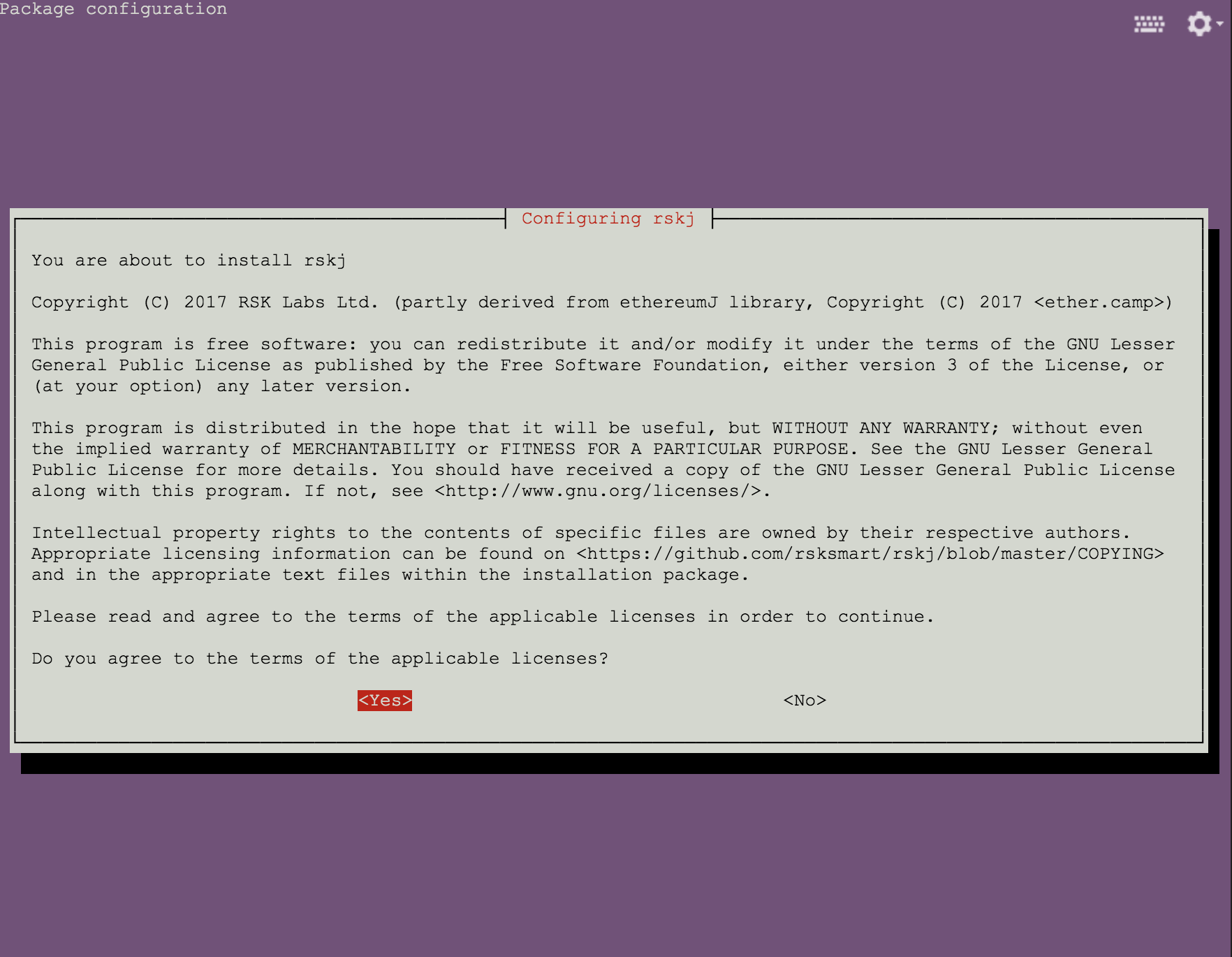
Choose Yes and Enter to accept the license to continue
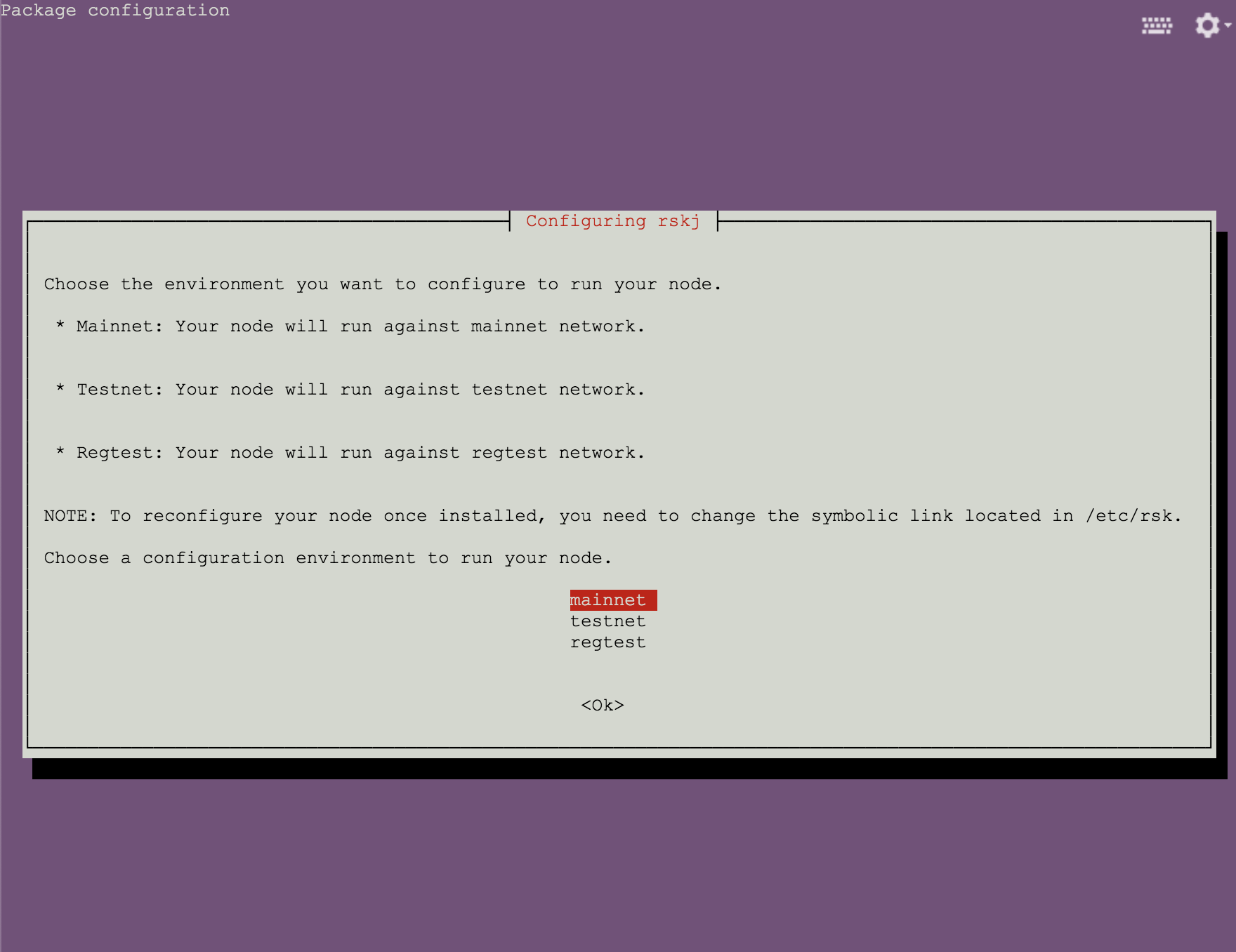
Choose mainnet and press Enter to continue
Install via Direct Downloads
You can also download the RSKj Ubuntu Package for the latest RSKj release LOVELL 7.0.0 and install it with the dpkg command. Follow this download link to download the matching package for your ubuntu system.
# first install openjdk-17-jre or oracle-java17-installer
sudo apt-get install openjdk-17-jre

# download the RSKj package and find the file rskj-6.5.0~UBUNTU_VERSION_NAME_amd64.deb

# run this command in the same directory as the deb file above
dpkg -i rskj-6.5.0~UBUNTU_VERSION_NAME_amd64.deb
We recommend that you check that the SHA256 hash of the downloaded package file matches, prior to installation:
rskj_2.0.1_bionic_amd64.deb:b2f0f30ac597e56afc3269318bbdc0a5186f7c3f7d23a795cf2305d7c7b12638rskj_2.0.1_bionic_i386.deb:3ca031ee133691ed86bb078827e8b2d82600d7bbd76194358289bbc02385d971rskj_2.0.1_trusty_amd64.deb:4c56d8d0ed0efc277afe341aa7026e87f47047ff69bd6dd99296c5ecab1fa550rskj_2.0.1_trusty_i386.deb:e5cb7b72e4aff8be4cbcd5d1e757e1fda463f1565154ae05395fcf1796ecf9fbrskj_2.0.1_xenial_amd64.deb:70c245388a7f521b96905bf49b93e38f58c54970e4e4effa36d7f2b0a2aa8ef4rskj_2.0.1_xenial_i386.deb:f067301454eb5976bbf00052ccd6523b1ee61f6aeb33ef4ea6fcb07ff0328668
After installation
By default, the node connects to Mainnet. To change the network choice (Mainnet/ Testnet/ Regtest), refer to the instructions in switching networks. To change configurations for the node, refer to the instructions in Rootstock Node Configuration.
The installer will configure your node in the following paths:
/etc/rsk: the directory where the config files will be placed./usr/share/rsk: the directory where the RSKj JAR will be placed./var/lib/rsk/database: the directory where the database will be stored./var/log/rsk: the directory where the logs will be stored.

Start/Stop the Node
After installation, you can use the following commands to manage your node.
To start the node:
sudo service rsk start
To stop the node:
sudo service rsk stop
To restart the node:
sudo service rsk restart
To check the status of the node service:
sudo service rsk status
