Add the Rootstock Network to MetaMask
To interact with decentralized applications and assets on Rootstock, users need to connect their wallet to the Rootstock network. MetaMask does not include Rootstock by default, so it must be added manually or through supported integrations.
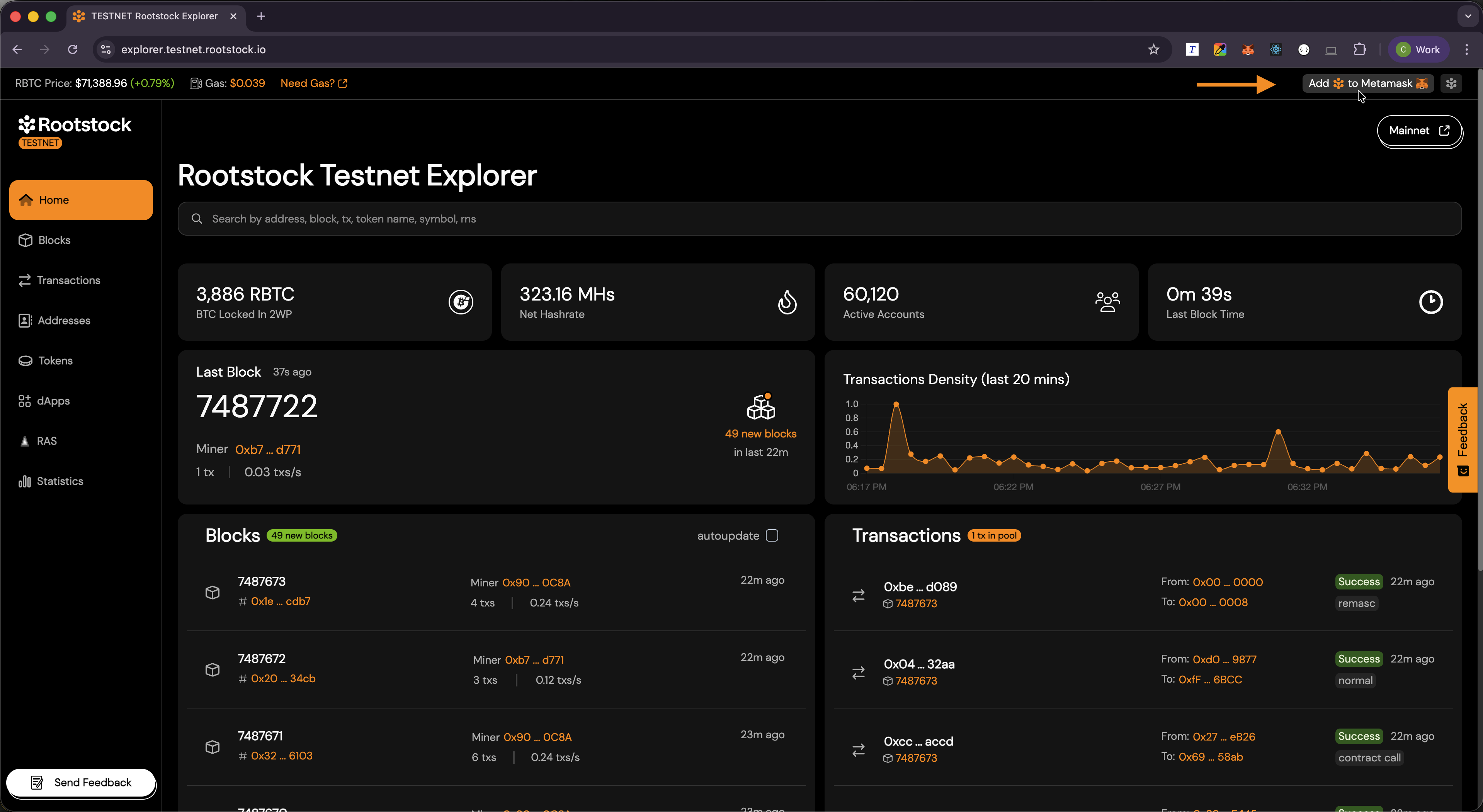
The Rootstock Explorer provides a quick way to add the network using the Add Rootstock to MetaMask feature.
Why Connect MetaMask to Rootstock?
Connecting MetaMask to Rootstock allows you to:
- Send and receive RBTC.
- Interact with smart contracts and applications.
- View transactions and balances on the Rootstock network.
What MetaMask Needs for a Network
MetaMask supports multiple blockchain networks including Rootstock. Each network requires specific configuration details, such as:
- Network name.
- RPC URL.
- Chain ID.
- Currency symbol (RBTC on Rootstock).
The Rootstock Explorer simplifies this process by automatically providing these details when adding the network.
Add Rootstock to MetaMask
- Open the Rootstock Explorer Mainnet or Rootstock Explorer Testnet. Use the same network in the explorer that you want in MetaMask.
- Find Add Rootstock to MetaMask in the explorer UI (in the top bar).
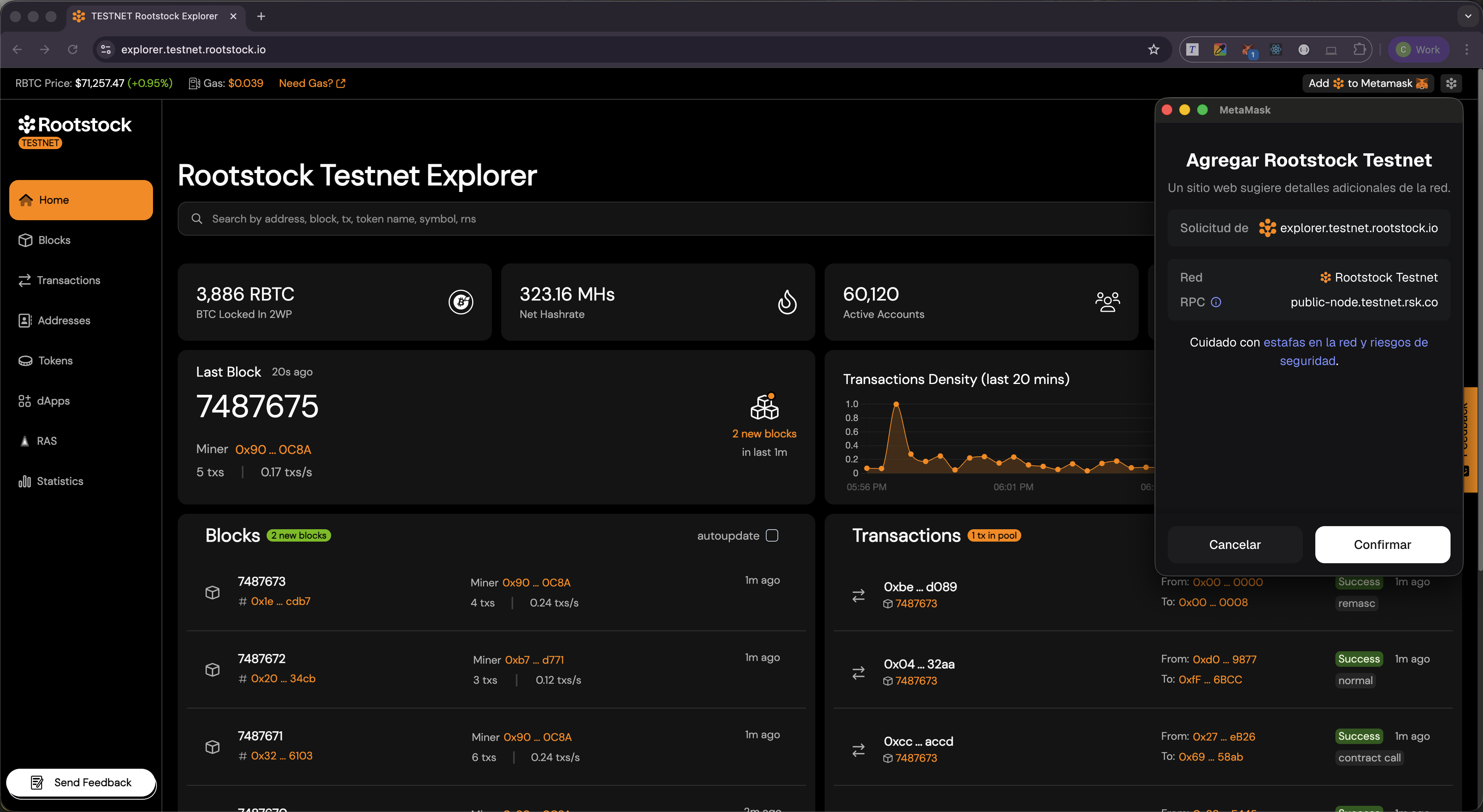
- MetaMask will open and display a network configuration prompt.
Confirm in MetaMask
In the network approval screen:
- Review the Rootstock network details (chain ID, RPC URL, symbol).
- Choose Approve or Confirm.
- Use Switch network if MetaMask offers it so you start using Rootstock right away.
Verify the Connection
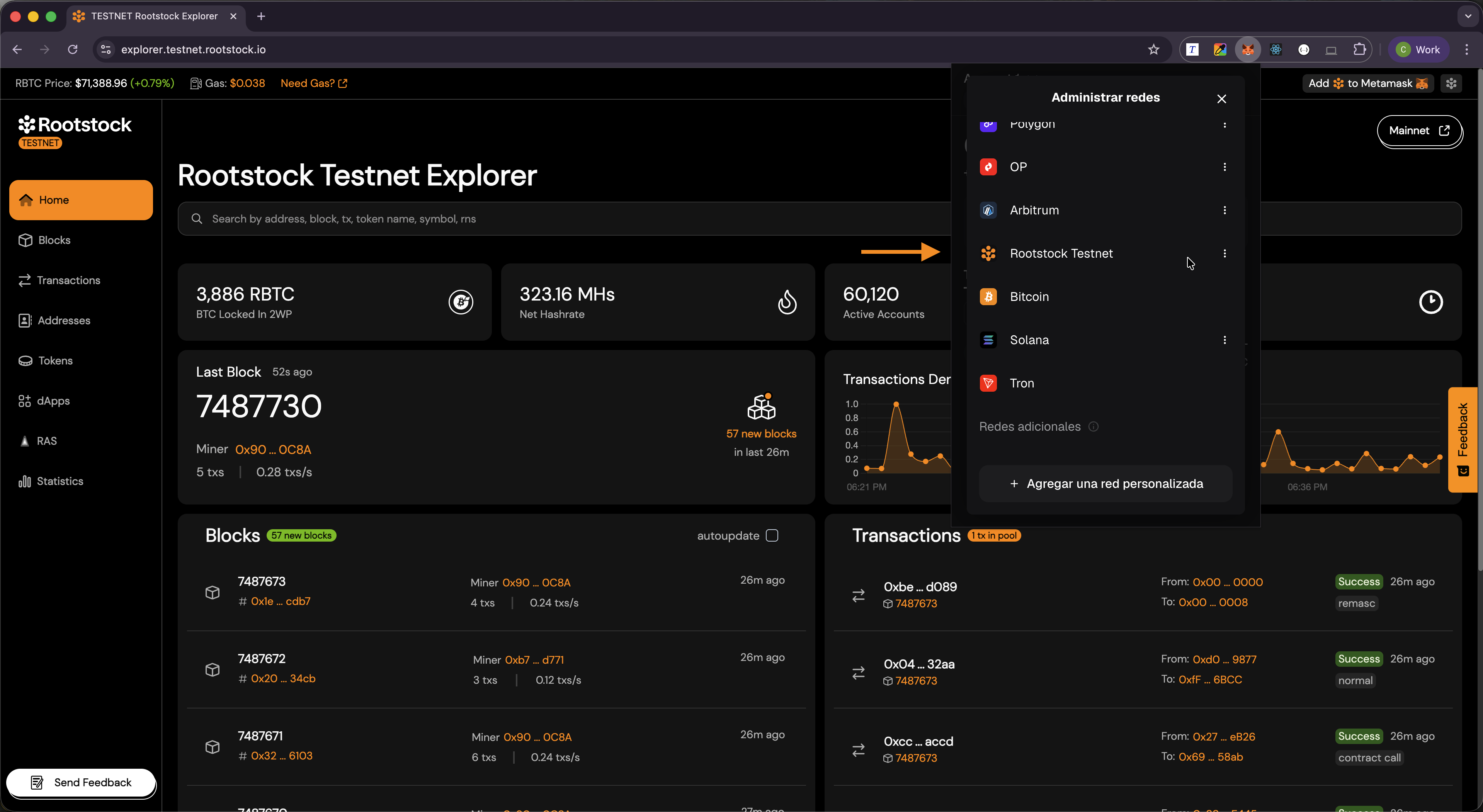
- Open MetaMask.
- Open the network menu at the top of the wallet.
- Confirm Rootstock (Mainnet or Testnet) appears and is selected when you want to work on Rootstock.
You can now sign transactions and read balances for that network.
What the Explorer Sends
Add Rootstock to MetaMask uses MetaMask’s API to propose a network with chain ID, RPC URL, network name, and currency symbol (RBTC). MetaMask then asks you to approve. You always confirm in MetaMask before anything changes.
Troubleshooting
- MetaMask not detected: Ensure the MetaMask extension is installed and enabled in your browser.
- No prompt appears: Refresh the page and try again.
- Wrong network selected: Manually switch to Rootstock in MetaMask.