Rootstock RPC API Sandbox
Browse, test, and copy working code for every Rootstock JSON-RPC method, directly in your browser, no setup required.
The Rootstock RPC API Sandbox is available on 
How to Use the RPC API Sandbox
Open the documentation
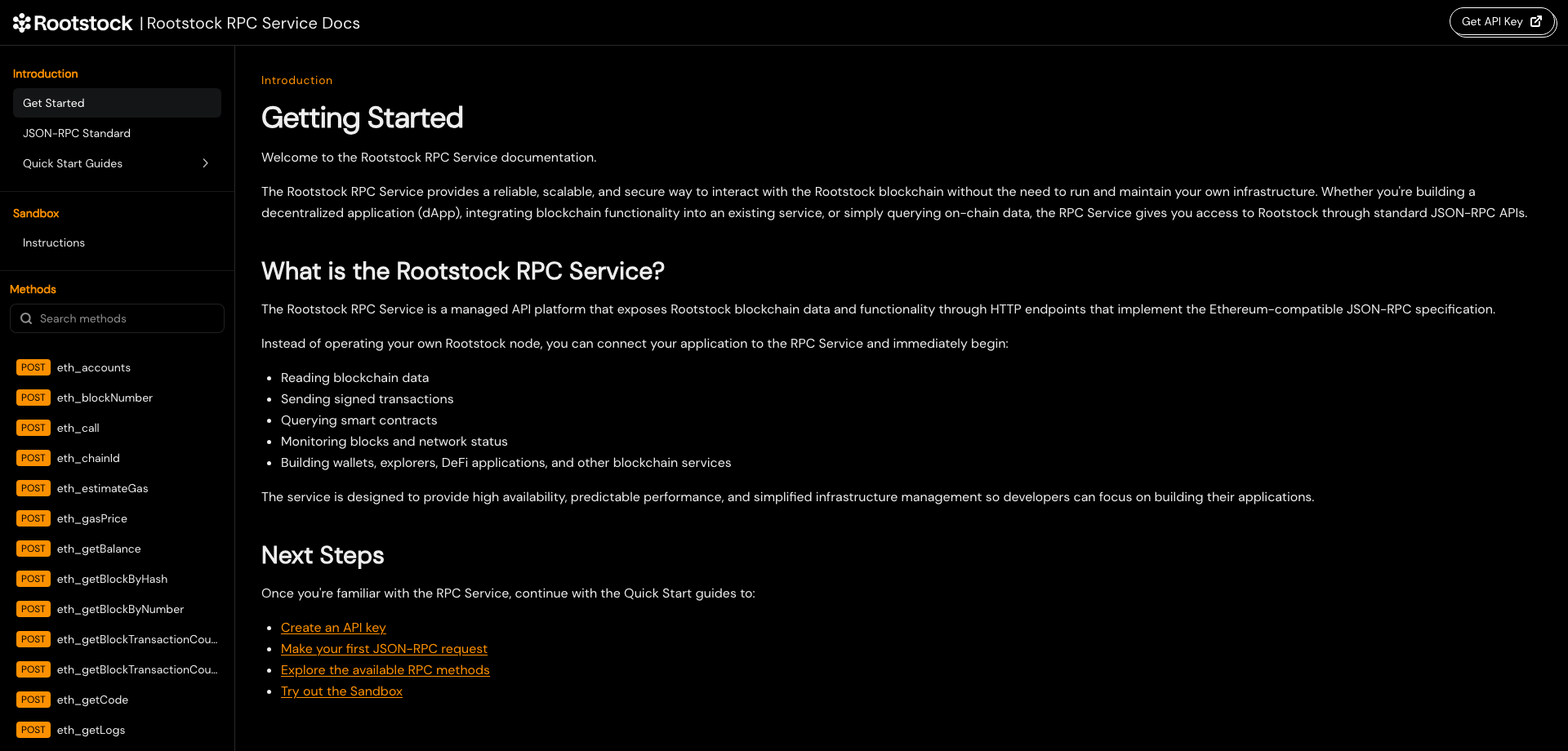
Navigate to rpc.rootstock.io/doc. The Get Started page explains what the Rootstock RPC Service is and links to the Quick Start guides. The left sidebar is organized into three sections: Introduction (Get Started, the JSON-RPC Standard, and Quick Start Guides), Sandbox (instructions for running live requests), and Methods, a searchable list of every available JSON-RPC method.
Get your API key and learn how the Sandbox works
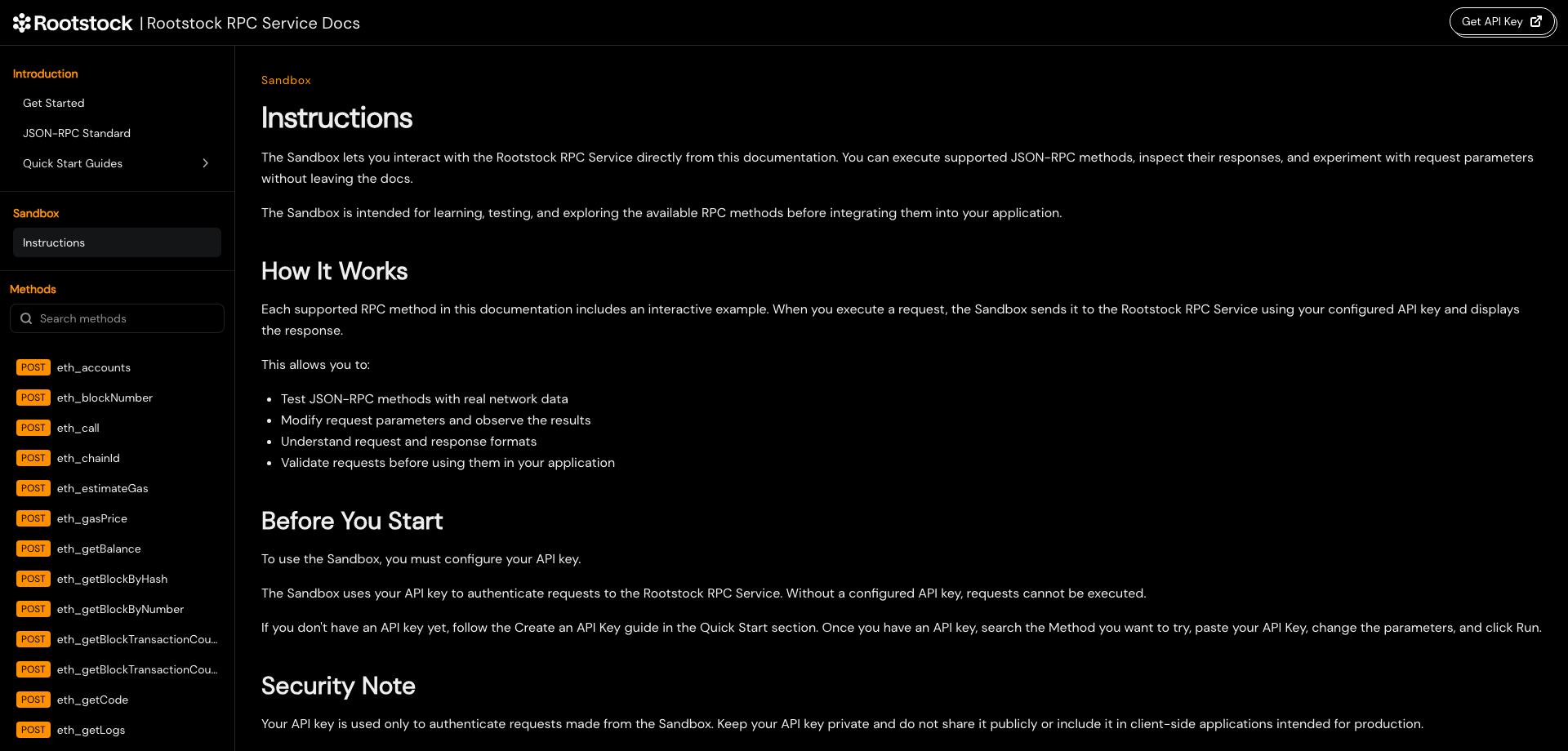
Click Instructions under Sandbox to see how live requests work: every method page includes a Sandbox that sends real requests to the Rootstock RPC Service using your API key and displays the response.
Don't have an API key yet? Go to the Create an API Key guide under Quick Start Guides to sign up on the Rootstock RPC dashboard and generate one. Paste this key directly into the method page in the next step.
Select a method, set your key and network, and run it
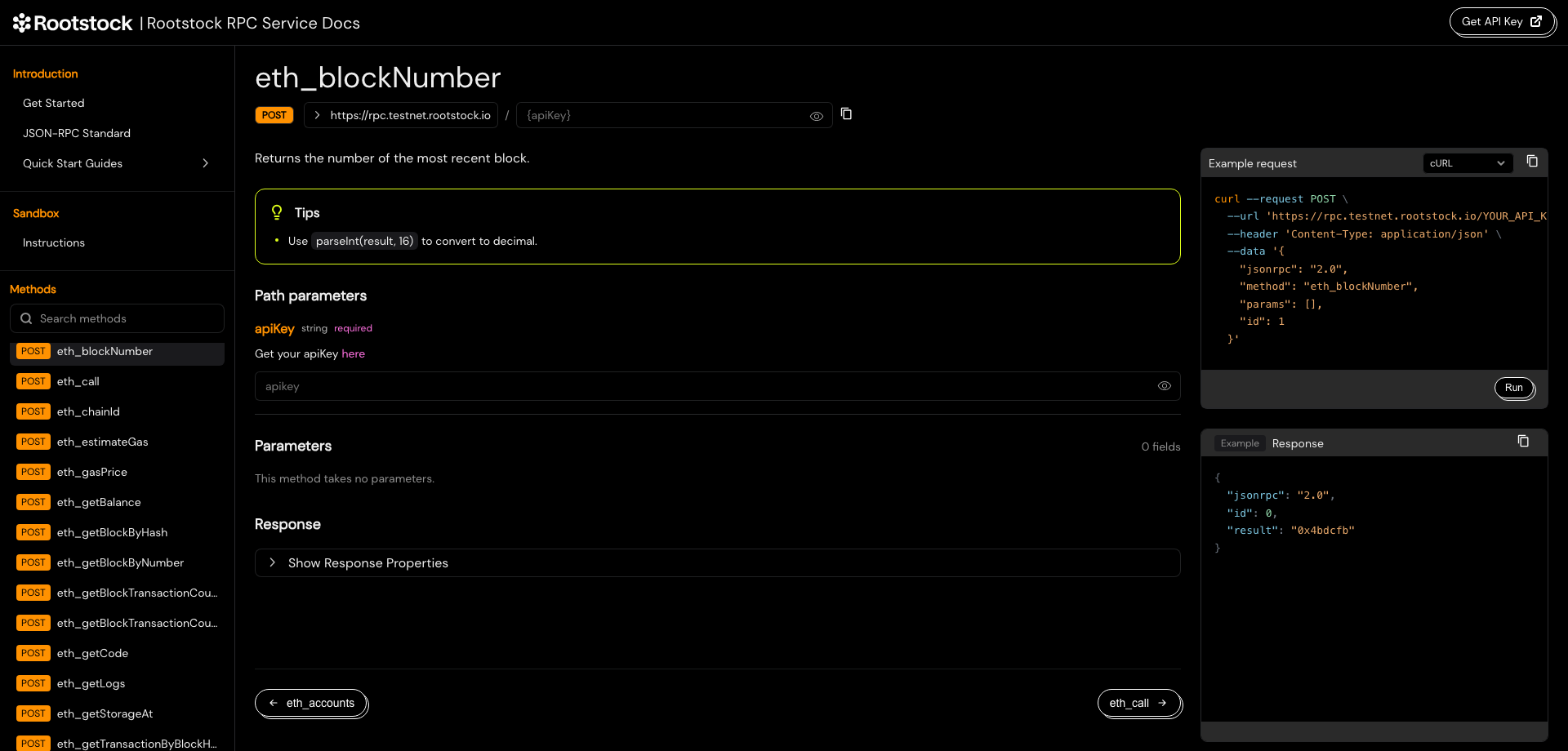
Browse the method list in the left sidebar or use Search methods to find one. Each method page shows:
- A description of what it returns, its required Path parameters (your
apiKey), and any method Parameters. - Tips and Notes with practical guidance. For example,
eth_blockNumberreturns the block number in hexadecimal, so useparseInt(result, 16)to convert it to decimal. - An Example request panel on the right with a ready-to-copy cURL (or other language) snippet pre-filled with your endpoint.
Click the endpoint URL to switch between Rootstock Mainnet and Rootstock Testnet, paste your API key in the apiKey field, and fill in any required parameters. Click Run to send a live request and see the JSON response in the Response panel below.