Time to read: 1 min
完全なドキュメント索引については llms.txt
Frequently Asked Questions (FAQs)
Here, you can find a list of frequently asked questions (FAQs) about the PowPeg App.
- To know more about the requirements, see prerequisites
- To know more about the common errors, see common errors.
- See section on deriving electrum for how to export a private key.
- Legacy address is the original BTC address while SegWit is the newer address format with lower fees. SegWit means Segregated Witness, where Segregated is to separate and Witness is the transaction signatures involved with a specific transaction.
- For information on the type of addresses to use when performing a peg-in transaction
- See the supported addresses page.
- The PowPeg app has a lot of benefits including enabling easier and simplified peg-in transactions.
- See why use the PowPeg? for a list of benefits when you use the application.
- To know more about the supported browsers
- See the supported browsers.
- To know more about the requirements;
- See supported wallets.
- native pegin needs 17 hours to be completed
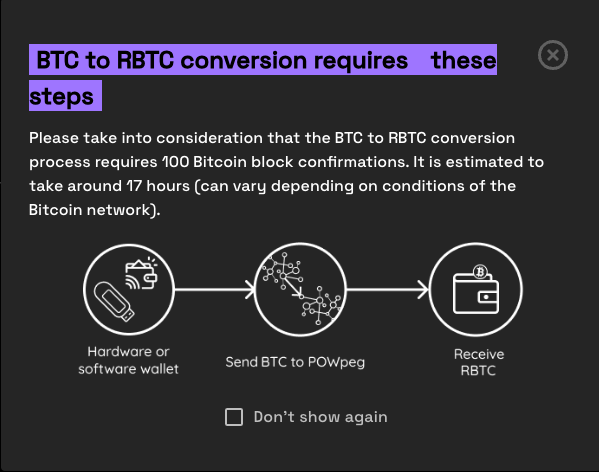
- Using fast mode, pegin time has been significantly reduced to ~20 mins. Note: In Fast Mode, we utilize Liquidity Providers (LPs) to expedite the transfer of funds to end users. These third-party providers can set their own transfer times. This information is displayed on the screen, allowing users to select the LP that offers the most suitable transfer speed for their needs.
- native pegout needs 34 hours to be completed
- Using fast mode, pegout time has been significantly reduced to ~20 mins. Note: In Fast Mode, we utilize Liquidity Providers (LPs) to expedite the transfer of funds to end users. These third-party providers can set their own transfer times. This information is displayed on the screen, allowing users to select the LP that offers the most suitable transfer speed for their needs.
- The minimum values allowed when creating a peg-in transaction is 0.005 BTC.
- The maximum values allowed when creating a peg-in transaction is 10 BTC.
- The minimum values allowed when creating a peg-out transaction is 0.004 RBTC.
- The maximum values allowed when creating a peg-out transaction is 10 RBTC.
- During the pegout process, the destination address of your BTC is derived from your signature, this enables one to know which address will receive the BTCs.
- See the Derivation details page
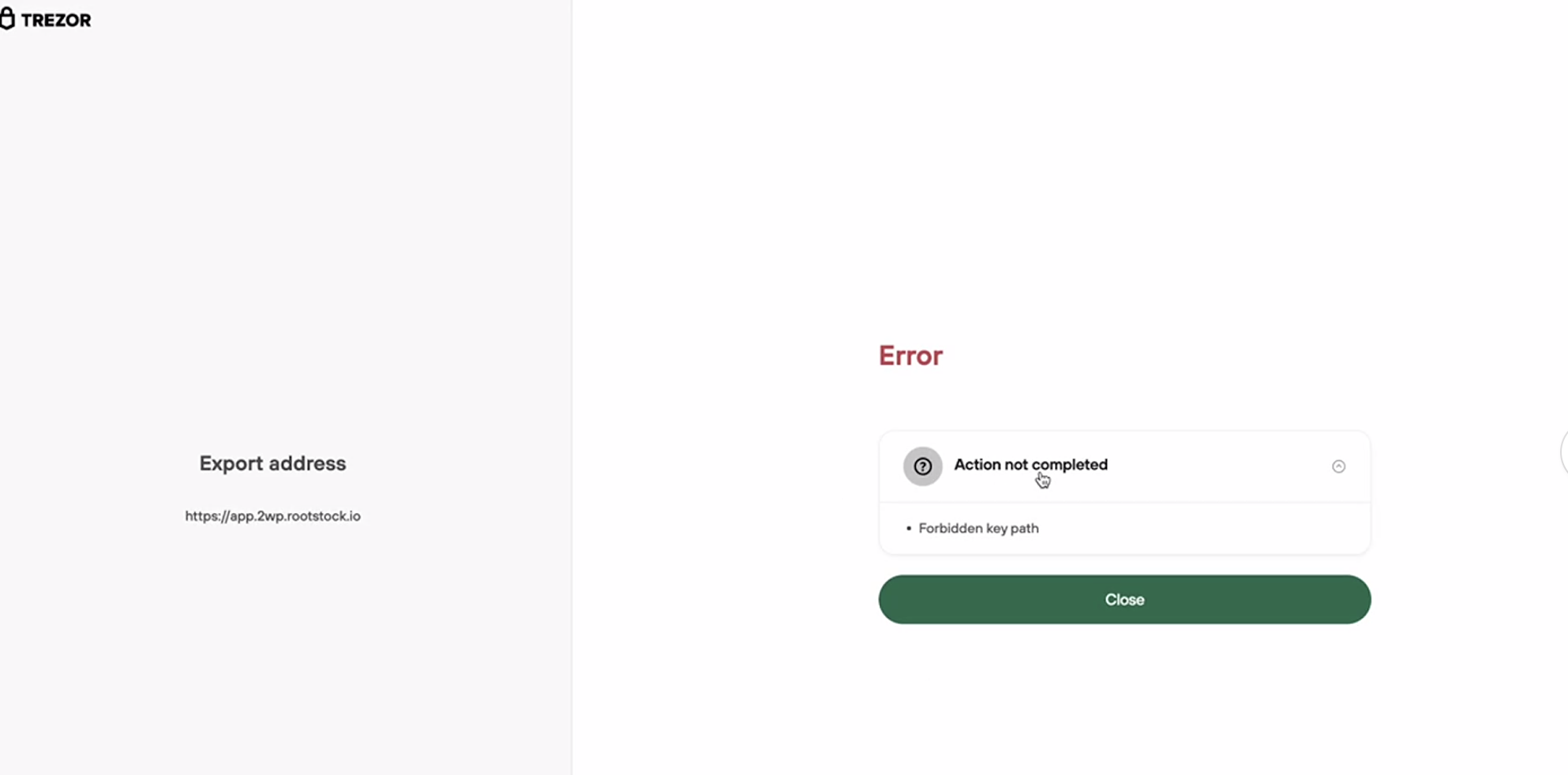
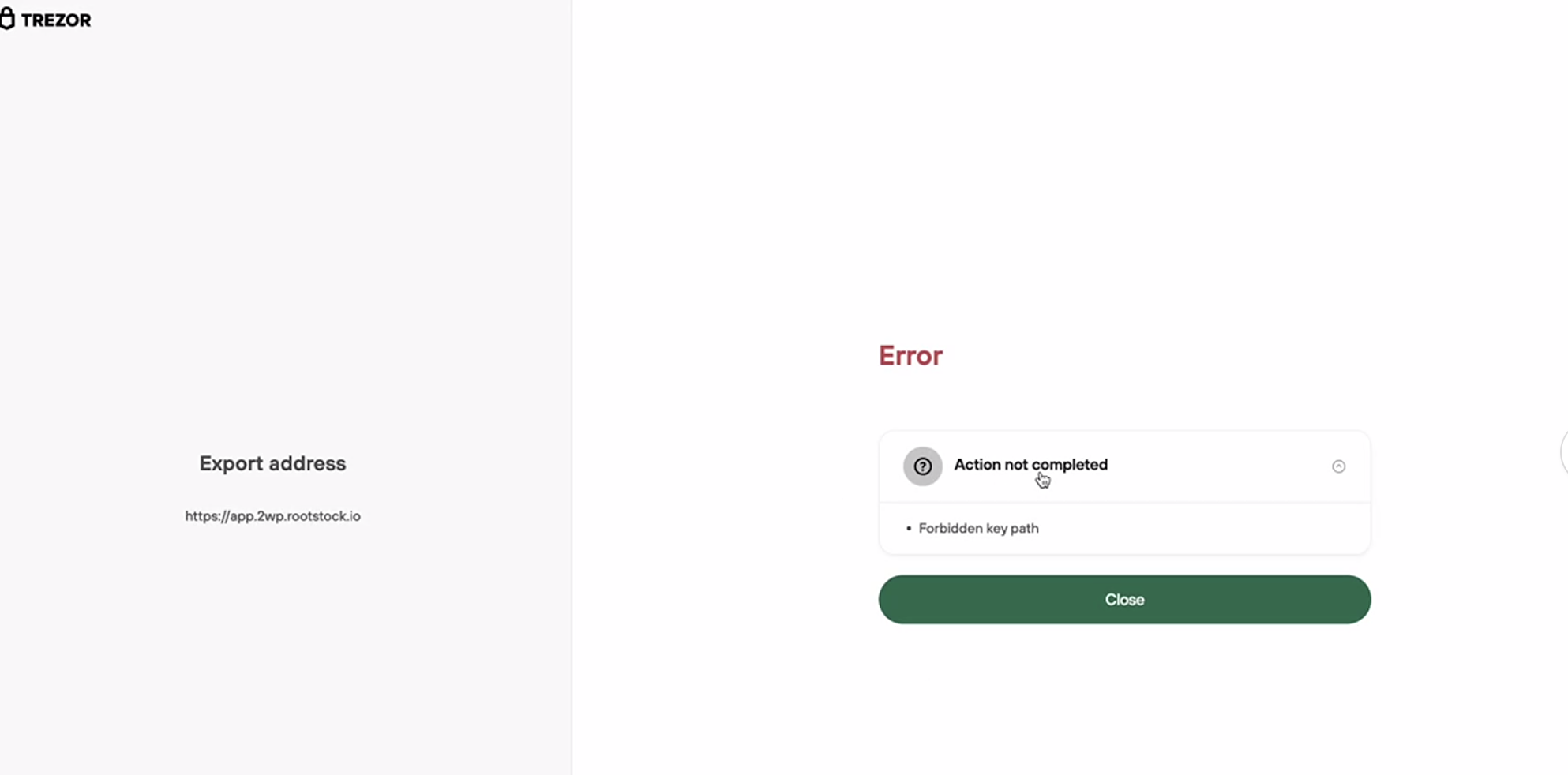
- The latest versions of Trezor Suite have implemented a security rule to disable its use with non-standard key paths. Therefore, the user must explicitly set Perform Safety Checks to PROMPT option in Trezor Suite in order to use the Trezor wallet in the PowPeg application.
- If is not enabled you will receive this error
- This video explains how to enable Perform Safety Checks to PROMPT on Trezor Suite Enabling Prompt for Key Path
- The PowPeg App uses Trezor Connect in a browser pop-up. Allow pop-ups for
https://powpeg.rootstock.io(Mainnet) orhttps://powpeg.testnet.rootstock.io(Testnet). See Trezor will not connect (browser pop-up blocked).- Confirm Perform Safety Checks is set to PROMPT in Trezor Suite. See FAQ 16 below.
- Unplug and replug your Trezor, unlock it with your PIN, and click Retry in the PowPeg App.
- Trezor Suite cannot show peg-out Bitcoin addresses at the custom derivation path. Use Electrum as described in Viewing a derived bitcoin address.
- If you do not use a BIP39 passphrase on Trezor, leave the passphrase fields empty in Electrum. Entering a value there opens a different wallet and the balance can look like zero.
- Electrum may prompt for a passphrase if Passphrase is enabled in Trezor Suite (Settings → Device → Passphrase). You can still leave the fields empty when you do not use a passphrase wallet.
- See Troubleshooting: peg-out completed but balance is zero and common errors.
Next
See the Glossary for an explanation of terms. For step-by-step instructions, see the peg-in guides and the peg-out guides.